Accounts, merchants, and environments
Before configuring integrations or processes, clarify the scopes in which you work. A user accesses Ormuz accounts; each account contains the merchants it operates; test and production configurations remain separate.
The four scopes to distinguish
| Scope | Role |
|---|---|
| User | Person who signs in to Ormuz and accesses accounts they are authorized to use. |
| Compte | Environment administered by an organization. A user may have access to several accounts. |
| Merchant | Business scope within which data, extensions, and processes for an operated activity are organized. |
| Environnement externe | Test or production mode of systems and providers connected to the merchant. It must remain consistent with the Ormuz account being used. |
The account defines the Ormuz environment in which you work. The merchant then defines the business scope to which data, extensions, and processes belong. Do not create a new merchant for each provider or process.
Comptes Ormuz
The account is the first scope selected after sign-in. It groups authorized users and merchants available in that environment. If you have access to several accounts, choose the one in which you want to work before administering its resources.
To begin, use a sandbox account. It lets you discover the platform, connect test systems, and validate processes without mixing these operations with production activity.
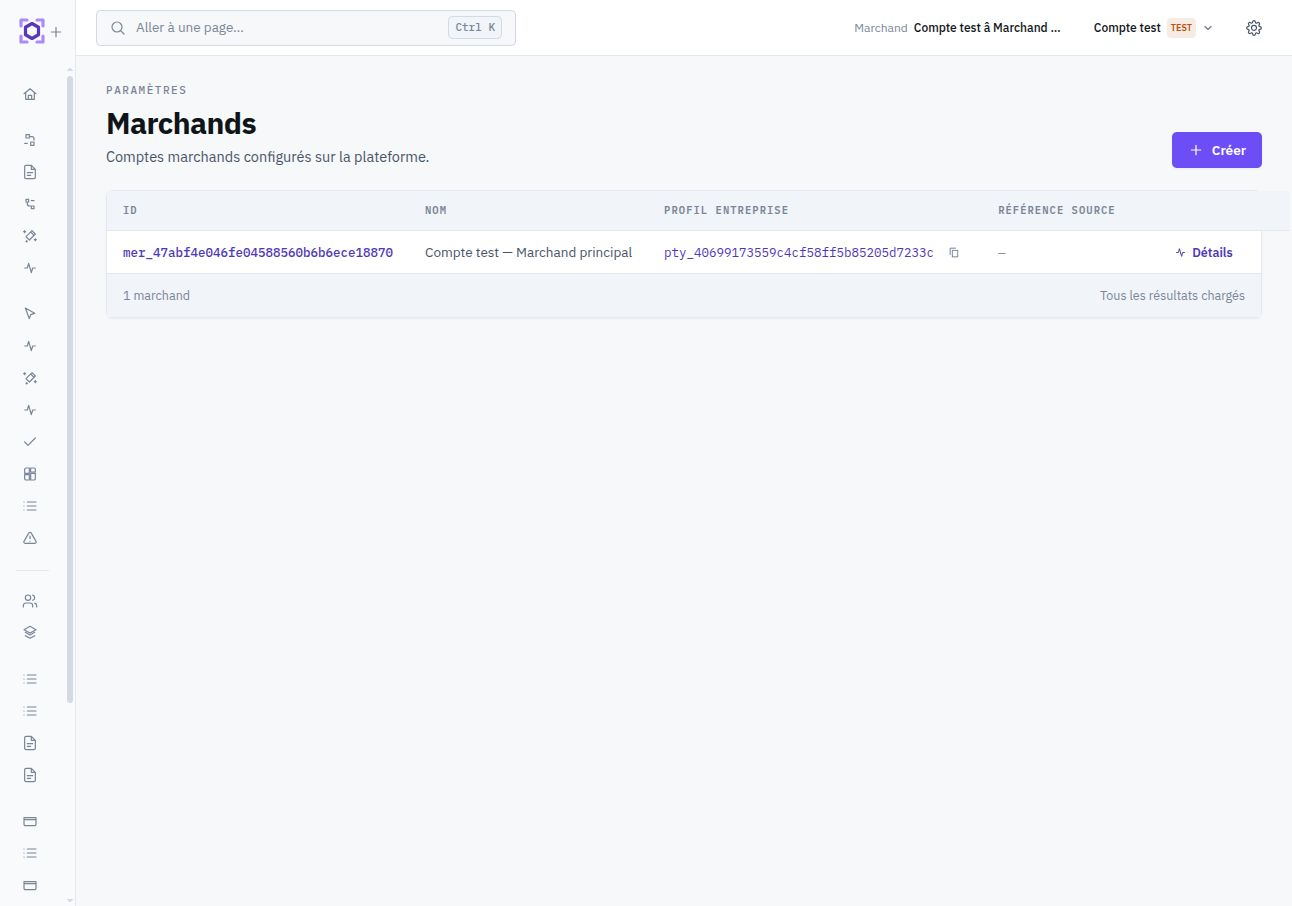
Merchants
The merchant represents the business activity for which Ormuz orchestrates operations. Business objects, extension configurations, and processes are attached to this scope so one organization can operate several activities when needed.
One or several merchants?
| Situation | Generally appropriate split |
|---|---|
| A company with one main commercial activity | One merchant is generally the right starting point. |
| Several stores feed the same company and operations | One merchant can group several connected systems when data and processes form the same business scope. |
| Several subsidiaries or activities are operated separately | Use separate merchants when data, processes, or service configurations must be isolated. |
| A platform operates for several autonomous sellers | Several merchants may be necessary when each seller forms an independent operational scope. |
In sandbox, create your first merchant from the Console with its name and, if available, a reference from your own system. This reference helps preserve stable identity between Ormuz and your information system.
Sandbox and production
Sandbox and production are not two modes of the same configuration. They are distinct environments that must use their own access, extension configurations, endpoints, and external accounts.
| Element | Sandbox | Production |
|---|---|---|
| Compte Ormuz | Test account | Separate production account |
| Merchant | Representative test scope | Explicitly configured production scope |
| Business systems | Test instances, stores, or data | Systems actually operated |
| Providers | Sandbox credentials and accounts | Real credentials and accounts |
| API and webhooks | Test keys and endpoints | Production keys and endpoints |
| Process | Validated with representative data | Configured for production extensions and responsibilities |
A sandbox API key, webhook secret, or provider credential must not be reused in production. Configure each environment explicitly and verify the scope before an end-to-end test.
Merchant environment variables
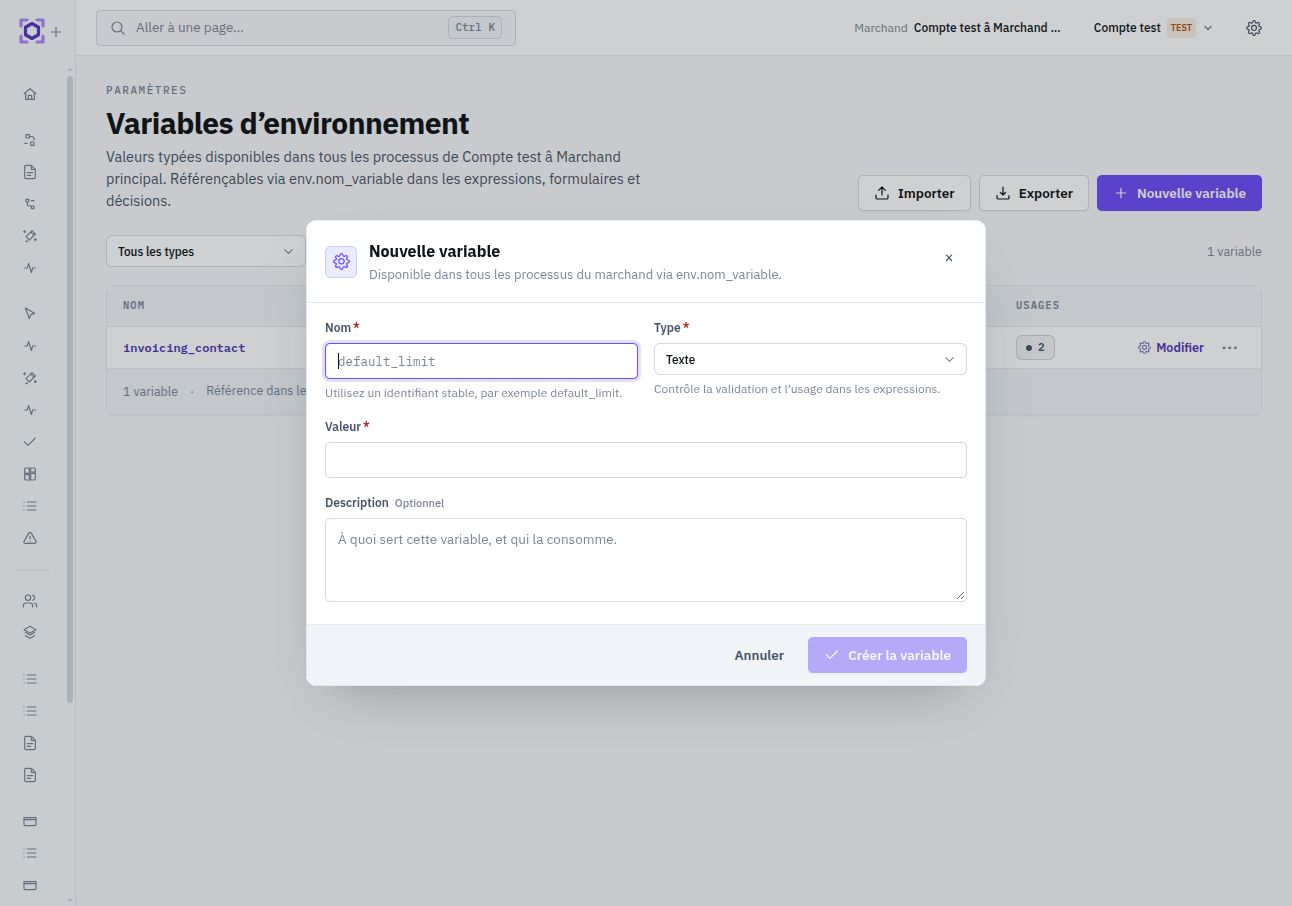
A merchant may define variables reusable by its processes: thresholds, addresses, references, or other values that change by environment without changing process logic. They are available in bindings, expressions, and dynamic content through the namespace env, for example
env.approval_limit or env.invoicing_contact.
Each variable has a type. The process records the keys and types it uses as dependencies; a missing or incompatible variable is therefore detected before execution rather than producing an ambiguous runtime value.
Keys must be known at design time: use env.ma_cle. Dynamic access such as
env[variable] is not accepted because Ormuz must determine process dependencies and validate them before deployment.
Value frozen per instance
When an instance starts, Ormuz snapshots the value of only the variables referenced by its revision. The instance therefore continues with the same context even if an operator later changes the variable for new executions. A rerun on a newer revision builds its own snapshot.
Import and export
The Console lets you export a merchant's variables and import that format into another environment. Two strategies are offered:
| Strategy | Behavior |
|---|---|
skip_existing | Creates missing keys and leaves existing variables unchanged. |
overwrite | Replaces type, value, and description of existing keys. |
Import is atomic. If a type change is incompatible with a current process referencing the variable, the entire operation is rejected rather than leaving the merchant in a partially imported state.
Portability and deployment
Environment variables are not embedded as values in a process definition. The process carries its dependency contract — expected keys and types — while each target merchant retains its own values.
When deploying to another environment, Ormuz verifies that every required variable exists for the target merchant with exactly the expected type. Deployment is blocked until this contract is satisfied. This separation allows the same process to be promoted without copying sandbox-specific values.
Prepare target-merchant variables before deployment, manually or through export/import. Sandbox and production values intentionally remain independent.
Choose the right boundaries
The right model follows your operational responsibilities. Separate merchants when they genuinely need to isolate data, processes, or configurations. Do not separate them merely because one merchant uses several stores, providers, or processes.
- Identify the business activity you want to operate as one whole.
- Determine which systems are authoritative for its customers, orders, invoices, and payments.
- Create the corresponding merchant in the sandbox account.
- Connect only the systems and services needed for the first use case.
- Then reproduce that boundary in the production account with dedicated configurations.
The First steps guide places these scopes within the complete integration journey.