Activities, tools, and authority
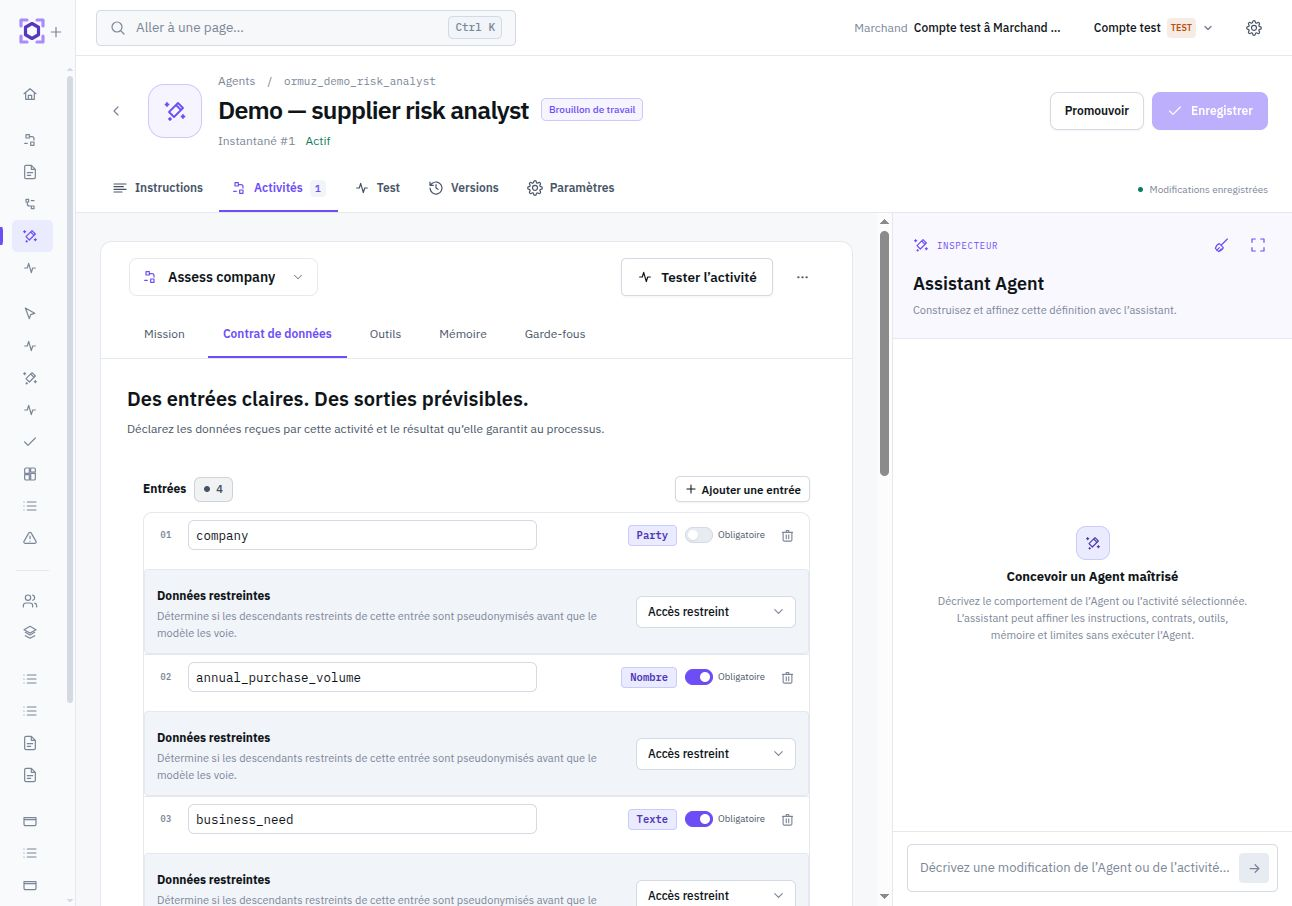
An activity is the operational boundary of an Agent. It defines what the Agent receives, what it must produce, which tools it may call, and the limits applying to that specific task.
Activity contract
An activity has a stable key, business name, specialized instructions, input schema, output schema, and, when needed, a routing output. This contract is versioned with the Agent revision.
The activity transforms explicit inputs into structured outputs. Its tools are the only capabilities available during the Run.
The activity may impose memory prerequisites and choose access projected or raw. Agent Memory remains a separate resource explicitly associated with the Run; it belongs neither to the activity nor to a specific revision.
Tools determine actual authority
A tool represents a capability the activity may exercise during a Run: read data, perform a business operation, or interact with an external system. A tool absent from the activity is not exposed to the model and grants no execution right.
A tool contract is designed for agentic use and remains independent from the process-node catalog. The same business service may have a node and a tool with different parameters or granularity; adding a node never automatically creates a tool.
An analysis activity can remain strictly read-only while an execution activity of the same Agent has a write tool. The first activity never gains that capability by proximity.
Who chooses a tool's parameters?
For each designer-controllable parameter, the activity can impose its source. A parameter is left to the model only when the canonical tool contract allows that mode of control.
| Configuration | Behavior during the Run |
|---|---|
| Activity input | The value comes from a typed input and the model cannot replace it. |
| Fixed value or resource | The designer imposes a stable value or authorized resource, for example an extension configuration. |
| Choice left to the Agent | The model chooses the value at call time, only within the limits defined by the tool. |
Each tool declares its risk level
Each tool declares a static level low, medium, or high. It describes the maximum business consequence permitted by the tool contract, not data sensitivity or a varying estimate of each call.
| Level | Product meaning | Examples of consequences |
|---|---|---|
low | Reading, search, resolution, or calculation without durable business commitment. | Retrieve an invoice, search for a company, calculate a proposal. |
medium | Recoverable, preparatory, or compensable mutation. | Create a draft, suspend a reactivatable resource, create an instruction that is still cancelable. |
high | External commitment, terminal decision, or effect that is difficult to undo. | Finalize a business decision, confirm a commitment, send an external message. |
Risk level grants no additional right and does not, by itself, trigger automatic confirmation. Permissions, data protection, business rules, and any future delegation controls remain separate mechanisms.
Guardrails are specific to each activity
Each activity carries its execution limits: model calls, tool calls, maximum duration, output-token budget, and maximum context size. Defaults are applied independently to each activity when no customization is needed.
| Guardrail | What it bounds | Intention |
|---|---|---|
max_model_calls | Model calls | Prevents an endless analysis loop. |
max_tool_calls | Tool calls | Contains effects and exploration. |
max_duration_seconds | Run duration | Sets an operational time bound. |
max_output_tokens | Model response | Keeps output compatible with the expected contract. |
max_context_bytes | Contexte transmis | Prevents uncontrolled context growth. |
A quick classification activity and a deep investigation activity do not have the same reasonable budget. Limits therefore follow the executed task, not the Agent globally.
Protected data and disclosure
Activity inputs may request more or less restrictive access to protected data. Likewise, a tool may declare that some results remain projected or that raw access is required. Corresponding consents are evaluated separately when the activity is used in a process.
Data classification, permission to use a tool, and authorization to disclose a protected value are three distinct dimensions. See Data protection.
Example: analyze, then handle an exception
A reconciliation Agent may expose two activities. Analyze receives a payment and candidate invoices, uses only read tools, and returns a structured recommendation. Handle the exception receives an approved recommendation and has a tool authorized to create the corresponding allocation.
This split makes responsibility separation visible: write capability exists only where needed, with limits appropriate to that activity.