Build, test, and observe a Decision
Decision Studio brings together design, validation, execution on explicit datasets, and trace reading. A user execution always carries the identity of an immutable revision.
AI design assistant
The Decision Studio assistant can explain existing logic, propose a change, build a candidate, and verify its behavior before applying it to the visible draft.
Internal assistant tests exist only to validate its candidate. They create neither a persisted revision nor a Run and have no implicit right to resolve resources.
Test a real revision
A user execution does not evaluate an unpersisted draft directly. If Working contains changes, Decision Studio first validates the definition and records a new immutable snapshot; the Decision Run then references that exact revision.
The draft is validated and frozen before execution. The Run therefore always has a reproducible revision identity.
Internal assistant simulation is a design tool. The user test button follows the normal revision lifecycle before creating a Run.
Synthetic data or existing object
A Decision evaluates the JSON snapshot supplied to it. The engine does not turn an identifier into read permission and does not implicitly reload referenced resources.
| Test source | Behavior |
|---|---|
| Synthetic data | You may enter or generate fictional values conforming to the contract, including structurally valid platform or extension objects. |
| Existing object | The Console first reads the object through its normal API with the reader's rights, then injects the returned snapshot as a simple input value for the Run. |
Having the right to execute a Decision grants no additional access to platform or provider objects. Reading a real object remains a separate operation authorized by its own permissions.
Read the trace
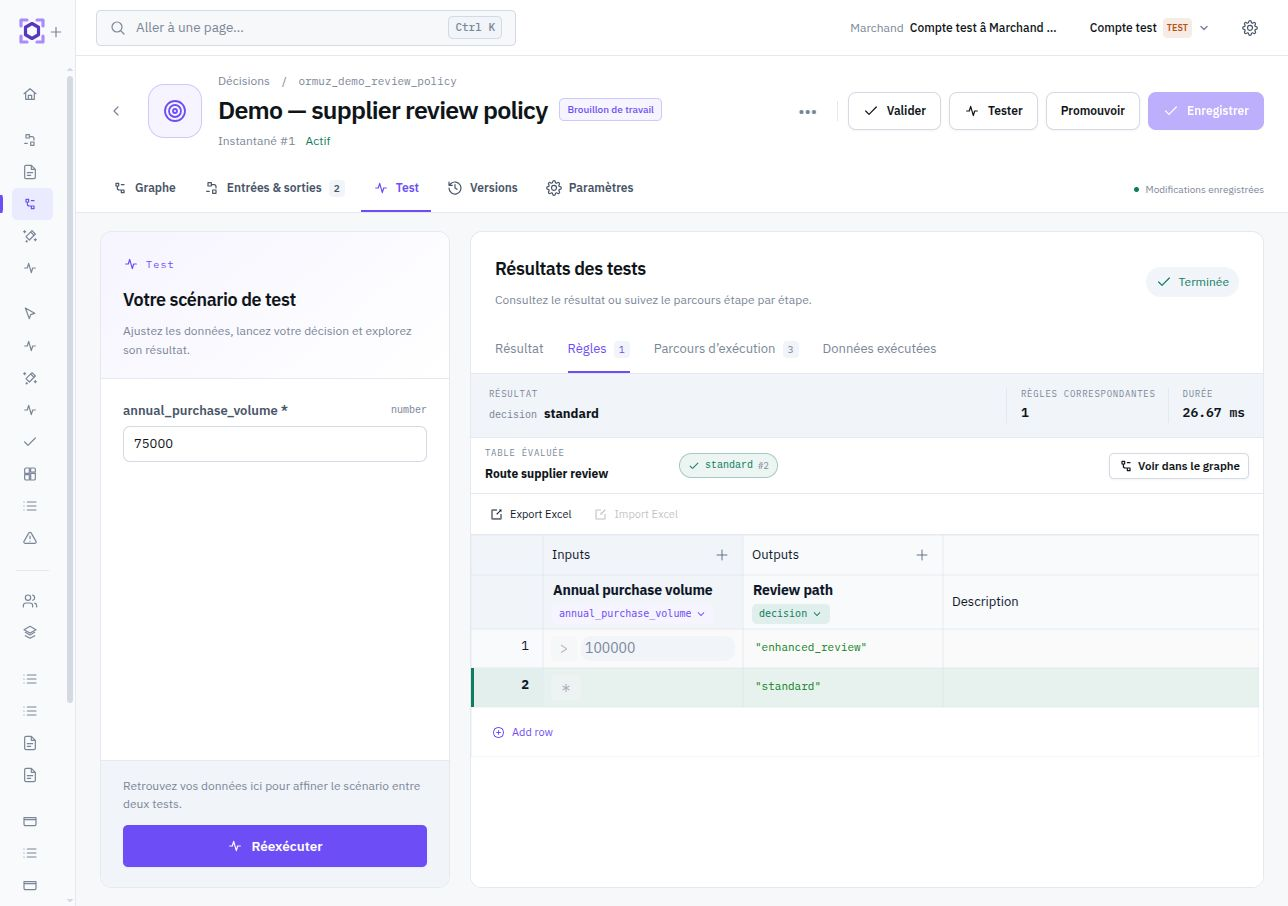
An execution may request a detailed trace. Decision Studio then projects the evaluated path, matching rules, and inputs/outputs of relevant elements into the editor so the result can be directly related to the logic that produced it.
Use the trace to explain an unexpected outcome or verify an edge case. For quick validation of the final result, running without trace avoids extra noise.
Decision Runs
Every Run preserves the exact identity of the evaluated revision, input snapshot, result, duration, and requested trace information. An execution may respond quickly while remaining identifiable as a distinct Run.
When a process evaluates the same Decision, its revision remains explicit as well to preserve orchestration reproducibility. Return to the general model: Understanding Decisions.