Node permissions
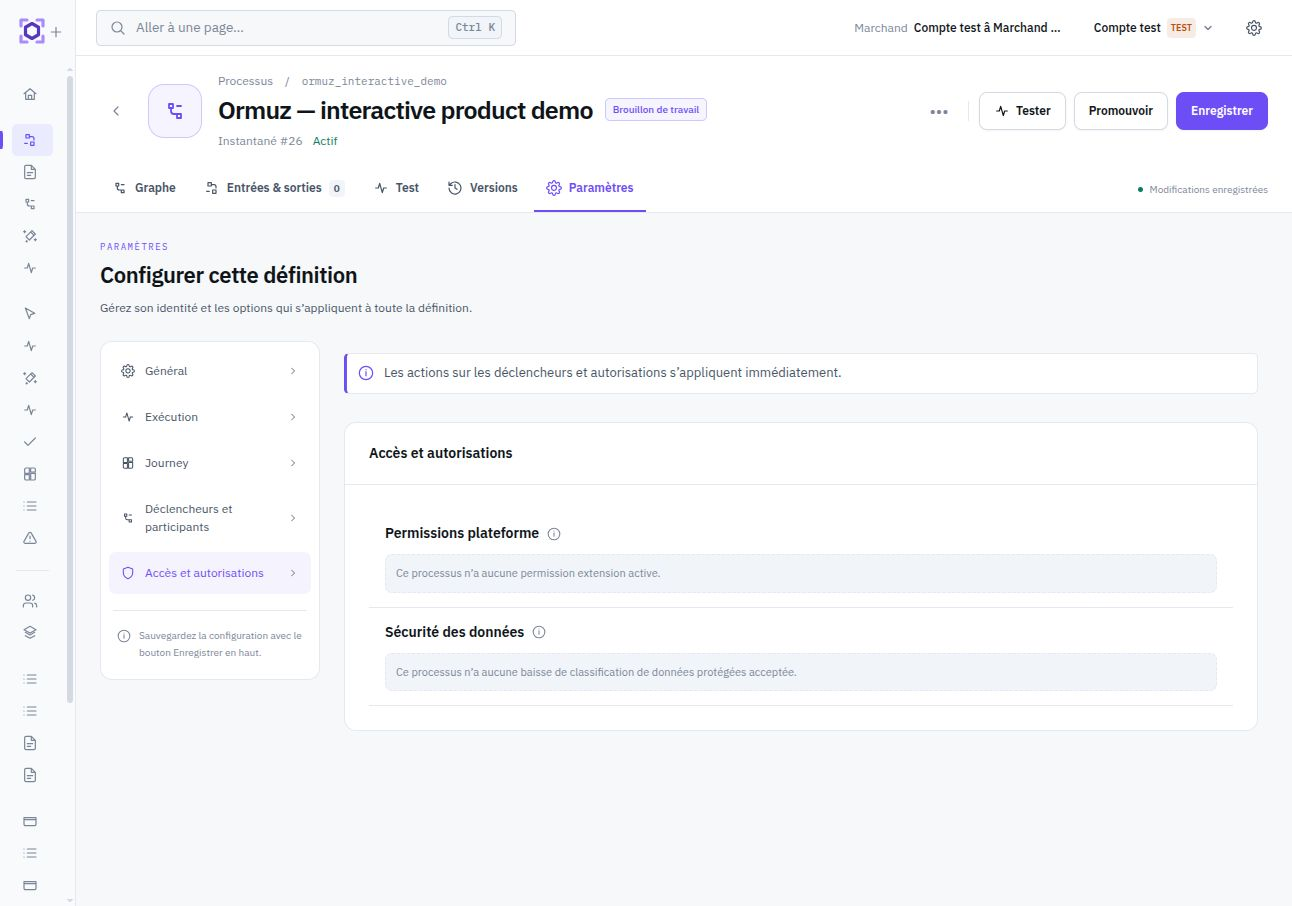
Some nodes provided by an installed integration — Stripe, Sumsub, the Credit module… — read or write a business object within their own behavior, beyond what their inputs and outputs show. Before saving a process using such a node, you must explicitly authorize this access.
Node permission and data protection are two distinct mechanisms. This page concerns access by a node to business objects not explicitly wired into it. When a node already receives protected data and guarantees a less restrictive output, Ormuz treats that as a classification downgrade : see Data protection in processes.
Why explicit consent
Most nodes need no additional permission. When you explicitly wire a standard node to an object in the editor — for example by connecting the
company output of one node to the input of another — that wiring itself is your authorization: it is visible in the graph and fully under your control.
An integration node may, however, read or modify a business object without that appearing in declared inputs or outputs. For example, a node deciding to grant credit to a company checks and updates its credit exposure internally, not through a parameter you wire yourself. This opacity justifies explicit consent, similar to mobile-app permissions: the node declares what it touches, and you approve before access is possible.
This consent is part of the mechanisms governing integration access to your business objects — see Integration data access for the overall model.
When permission is requested
Adding a node from the palette or by drag-and-drop: if the node requires access not yet granted to this process, a consent dialog appears before the node is actually added to the graph. Refusing cancels the addition.
Saving the process : if the process contains a node whose required access has not been granted, saving is rejected until consent is given.
Import or assisted generation : importing a template, duplicating a process, or AI-assisted generation can introduce several nodes at once. A grouped consent screen then summarizes each requested permission before saving — see Import and assisted generation.
What you authorize
A permission applies to a business-object type (for example
company, credit_exposure,
credit_limit) and an access mode, read or write.
It is granted for one specific node type within one specific process. Adding a second node of the same type to the same process does not request permission again: authorization is shared by all nodes of that type within the process. Duplicating a process or importing a template starts with no permission carried over — consent must be given again, independently from what was accepted on the source process.
Granting or refusing a permission requires no special right beyond the right already needed to modify the relevant process definition.
Do not confuse it with Agent authority
Several security mechanisms may appear in the same process, but they answer different questions.
| Mechanism | Question it answers |
|---|---|
| Node permission | May this integration node read or write a platform object outside its explicit wiring? |
| Tool of an Agent activity | Which capability may the Agent call during this Run? Required permissions derive from the tool actually configured. |
| Agent disclosure consent | May protected data be exposed to the model in raw mode rather than through its controlled projection? |
| Classification downgrade | May protected data leave or be stored with a less restrictive classification? |
See Activities, tools, and authority and Data protection for these complementary boundaries.
Import and assisted generation
When an operation introduces several nodes at once — template import, duplication, AI-assisted generation — Ormuz does not interrupt the flow with a series of successive dialogs. One screen summarizes all required permissions, grouped but still assigned to a precise node : you never see a flat permission list without knowing which node requests it.
Accepting this dialog grants all listed permissions at once and saves the process. Refusing cancels the operation: the process is not saved with nodes whose access was not authorized.
How permission is enforced
A granted permission is not merely documentation: it is checked at three points, all the way to where access actually happens.
When saving — a process using a node whose access is unauthorized cannot be saved.
Before every node execution — consent is reevaluated on every pass, not frozen at design time.
At the moment of access — when the node actually requests the object, the platform rechecks that it is the expected node in the current process, that it declared this access, that permission is still granted, and that the object belongs to the process scope.
A node therefore cannot access an object type it did not declare or reuse authorization granted to another node. Denied access fails the step permanently, without automatic retry.
Every access of this kind — allowed or denied — leaves an auditable trace indicating process, step, node, object type, access mode, and target object.
Revoke a permission
A granted permission may be revoked at any time. Revocation takes effect immediately, on the next access — including for a process execution already running, which will fail at the relevant step.
POST /v1/node-permission-grants/npg_123/revoke
History is preserved: the permission is not erased but marked revoked, with its original grant date. Saving the process again will request consent again.
Important: revoking a permission does not undo effects already produced and does not remove the object mappings mappings that were established while it was active. Those mappings continue to authorize rereading their exact target.
Review granted permissions
Permissions currently in force for a process are available through the API, with the same rights required to read or modify the relevant process definition.
GET /v1/node-permission-grants?process_definition_id=prd_123
Only active permissions are returned: a revoked permission no longer appears in this list.
Each returned entry has the following shape.
| Field | Description |
|---|---|
node_id | Identifier of the node type concerned, for example credit.grant_credit). |
platform_object | Authorized business-object type (company, credit_exposure…). |
access | read or write. |
granted_at | Date the permission was granted. |
source | Grant origin recorded with the grant. Consents created through current public surfaces use |
Consent may also be recorded through API instead of the Console:
POST /v1/node-permission-grants
{
"process_definition_id": "prd_123",
"grants": [
  {
    "node_id": "credit.grant_credit",
    "object": "credit_exposure",
    "access": "write"
  }
]
}
For a process that does not yet exist, required permissions may be sent directly in the body of
POST /v1/processes or its update under the field
node_permission_grants, with the same shape
{ node_id, object, access }.